Completing Metadata
Introduction
This page will discuss some of the general processes about how an editor goes about completing records within the edit system and other suggestions for best practices related to managing metadata records that have been uploaded into the Digital Collections.
For specific information about how individual fields are used or how values are formatted to complete records, please refer to the other guides listed in the left-hand menu.
Considerations Related to Metadata Creation
Overview
The primary goal when we create metadata in the Digital Collections is to help users find items that they will find interesting or useful.
What Information Should Be Included?
Information should match the item and represent it as accurately as possible (e.g., not describing a clipping as a whole newspaper, or using a title that only applies to part of the content)
Any available information about how the item was made and what is in the content to help a user find a specific item or know if it has the information they need
Why Is Information Split Into So Many Fields?
Some information primarily describes what the item is and how it was made – e.g., creator, contributor, publisher, creation date, resource type
Some fields primarily describe what kind of content the item has and whether it will be useful to the user – e.g., content description, subjects, coverage
We mainly try to keep this information separate and not duplicate it across these fields
Occasionally information in could overlap and may be duplicated to reflect that in specific cases, e.g.:
A self-portrait is made by the person who is in the image (creator and named person would be the same)
A report could say “this is what happened today” (creation date and coverage date would be the same)
Most photographs will have a creation date and coverage date that are the same (since the time of creation captures what is happening at that time)
Why Are There So Many Rules About Formatting?
We want information to be added consistently because there may be overlap between items in different collections or we may want to use the values for interface features
Values entered in some fields are used for filtering and browsing (e.g., explore by…location, subject, date, etc.), but this relies on standardized formatting
Many types of values are “clickable” in records if a user wants to find “more items” that have the same subject, the same creator, from the same series etc. – but this only works if terms are entered the same way – and these often apply across items described by many different people
Where Should I Even Start?
This page gives a general overview of what you should think about when doing metadata
The Quick-Start Guide (also linked in the left menu) gives a summary of the most important things to know about every field
How Do I Know When the Record is Done?
Generally, when you have entered all of the information you have available (and all placeholders are replaced or removed), you have finished the record
The page on Reviewing Metadata Records provides information on how to check a record to see if anything is missing/incorrect (the summary view may be useful for this)
Questions or Issues
If you are working on metadata and discover that you have questions or come across a different kind of item than you have described before, you have a few options to find more information:
For formatting or usage questions |
|
For example:
|
Review the guidelines to see instructions and examples, by:
|
If you find an unusual item |
|
For example, an item:
|
|
To get more context about an item |
|
|
|
General Considerations
A couple of notes about entering metadata and records in general:
If you open a record and do not end up making changes, DO NOT publish the record (this will save a duplicate copy); if you are new to the system, the System Quick Start Guide can give you an overview of navigating and saving your work
There is no way to add mark-up or styling to any of the text in metadata fields (e.g., italics or bold)
Any existing encoding characters or mark-up should be removed if you are pasting text from elsewhere (e.g., MARC sub-fields from catalog records, some PDF punctuation is translated as encoding strings, etc.)
Except for non-display notes, all text in all fields will be visible when the record is made public – any comments or placeholder values in the template or added by editors will display if not removed (more about templates below)
Editing Records
Completing Records from Templates
Most records are uploaded with at least some pre-filled values or placeholders and may also have notes or reminders. The goal of these values is to save time so that editors don’t have to enter the same value frequently (e.g., if all of the items in a collection have the same creator) and placeholders are intended to:
[1] highlight information that is required or expected for the record (e.g., titles or descriptions)
[2] remind editors to check whether information applies to a specific item, especially for less-frequently-used fields (like source, which may apply for certain items like clippings)
[3] to suggest formatting or values for greater consistency (e.g., subject values from controlled vocabularies that may apply)
Some things to keep in mind:
All placeholders must be replaced by appropriate values or removed if they do not apply |
|
|
Examples of placeholders:
|
|
For example:
|
|
|
|
Examples of notes:
|
|
Examples:
|
|

|
Helper Tools and Warning Messages
The record summary view includes an overview with fields flagged that may need review. Here are some examples of things that the system might identify as possible problems.
Values in the summary view are highlighted in red when the system finds a problem with validation |
|
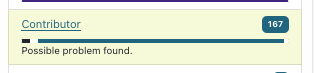

|
This is an example of a validation error because there is a contributor role with a missing role or type – all creator/contributor entries must include both a role and a type |
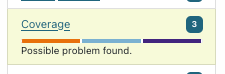

|
Here, a date value in a date field (either date or coverage date) does not meet EDTF standards, so the date is invalid; this example is a placeholder (intended to be replaced with a “real” value) but any date entry that is not formatted correctly will be flagged |
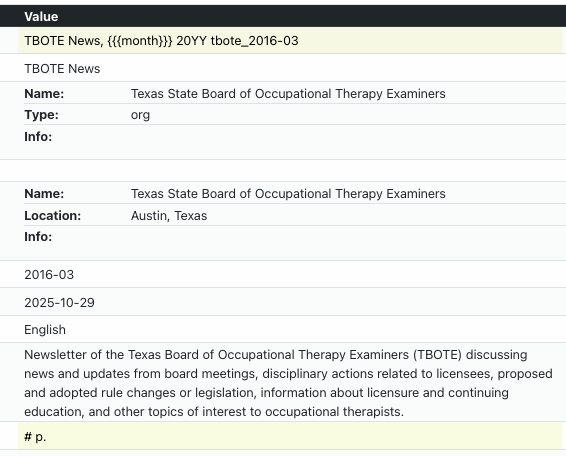
Values in the summary view are highlighted in yellow if the system suspects that it may be incomplete or incorrect, but needs review |
|
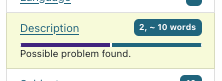
|
In this case, the record has a number of placeholder values that the system has tried to flag based on values like “{{{” in the title and “#” in the description. Placeholders should be fixed or removed. |
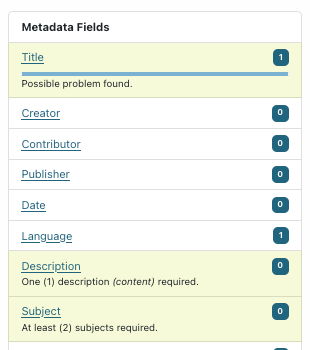
|
Some items are uploaded with very few values or placeholders. The system also flags missing required fields, like content descriptions and subjects (explained in the warning text). |
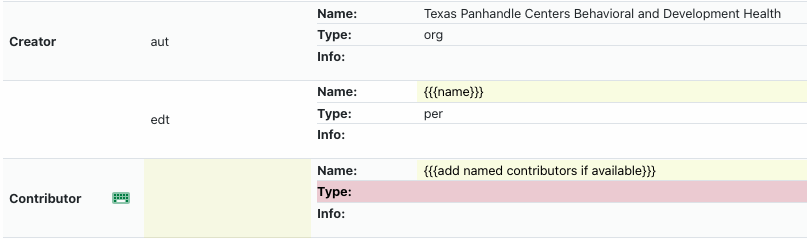
Summaries may have a mix of red and yellow highlighting depending on the conditions |
|
|
The contributor placeholder is flagged because of the curly brackets but the type is red because there is a value in the name portion but not the type (invalid) – the whole entry would need to be removed or updated with a correct name, role, and type |
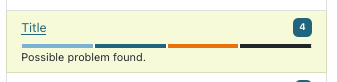
Some values get flagged but are not incorrect – when in doubt, consult the relevant field guide for usage/formatting |
|
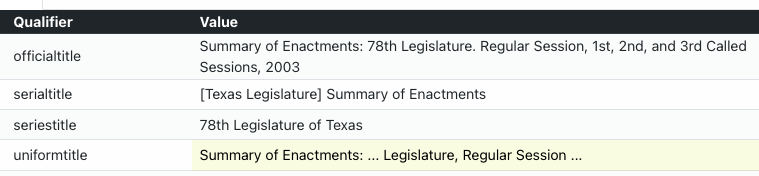
|
The title field is flag due to characters that may be placeholders but in this case, the “uniform” title is used to represent the general pattern for a serial title and may have gaps for information that is different in individual issues/years |
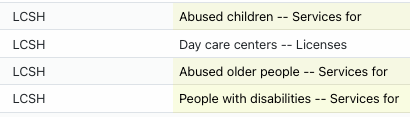
|
These subject values were flagged because of the word order, but happen to be valid Library of Congress Subject Headings in this case |
While editing a record, some fields have a level of validation; if a field value seems wrong, the field will be highlighted in the sidecar along with a message explaining what needs to be checked:
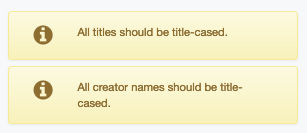
This warning appears if a title, creator, contributor, or
publisher value is more than 50% capitalized.
In rare instances, these values may be correct
|
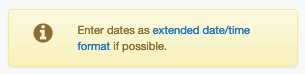
This warning appears if a value in the date or coverage date
field does not conform to EDTF specifications (check guidelines
for more info)
|
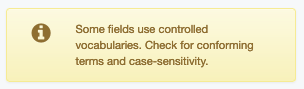
This warning appears if a subject value does not match the
vocabulary qualifier – this only works for vocabularies that
have search modals
|
Issues with Items or Records
Here are some general guidelines to make things easier for administrators and other editors who may be looking at items in the edit system:
If you believe (or have determined) that an item should remain hidden for any reason, add a note to the main title with a brief explanation. This way, if another editor is viewing hidden records to see why a collection is not fully visible, it will be apparent from the Dashboard why something is not public. For example: |
|
|
SKIP (reissue) – usp017/re011446
Adding-Machine — NOT TEXAS
SKIP last page blacked out
SKIP: 01086715 – Not a Texas Patent.
Baling-Press – MISSING FIRST PAGE
1407533 - Incomplete
|
|
[title] * * Home addresses - keep hidden * *
[title] – contains SSN, leave hidden
[title] – KEEP HIDDEN for privacy concerns
|
|
[title] – duplicate of ark:/67531/metapth34017 |
If an item should be deleted (usually because it is a duplicate), it should be clearly marked in the title |
|
|
[title] – DELETE, duplicate of ark:/67531/meta#
DELETE, duplicate
|
Generally, records that have been made public should not be re-hidden, but there are exceptions (e.g., identification of duplicates, take-down requests, etc.). |
|
|
Non-Display Notes:
|
Here are some general categories of problems and how they are handled:
There are two copies of the same item and we only want to have one. In this situation, the duplicated item (usually the one of lesser quality or added later) is marked as a duplicate and left hidden. If verified by an administrator, the duplicate will be permanently deleted.
The record and item/s are mismatched, e.g., pages from two items were grouped together or two pages of a single text were separated by mistake. In these cases, the titles are marked and an administrator will re-organize the files to replace the items, for example:
If a two-page document was accidentally uploaded as two items, all of the images for both pages will be uploaded in place of one of the existing items (that metadata record will not change); the other item will be deleted.
If two newsletter issues were accidentally uploaded as a single item, the images for all of the pages of the first issue will be uploaded in place of the existing item and the images for all of the pages of the second issue will be uploaded as a new item with a new metadata record.
There is an issue with image quality, for example, a photo is rotated and displays sideways or upside-down. In this case, an administrator will correct the original file and it will be uploaded in place of the existing item (the metadata record will not change).
There are permissions issues with a specific item that contains personal information, copyrighted material, etc. Usually, this can be marked in the title and the record remains hidden until someone in charge of the collection can get more information.